Uncategorized

Add SenorMedia Backup to Kodi

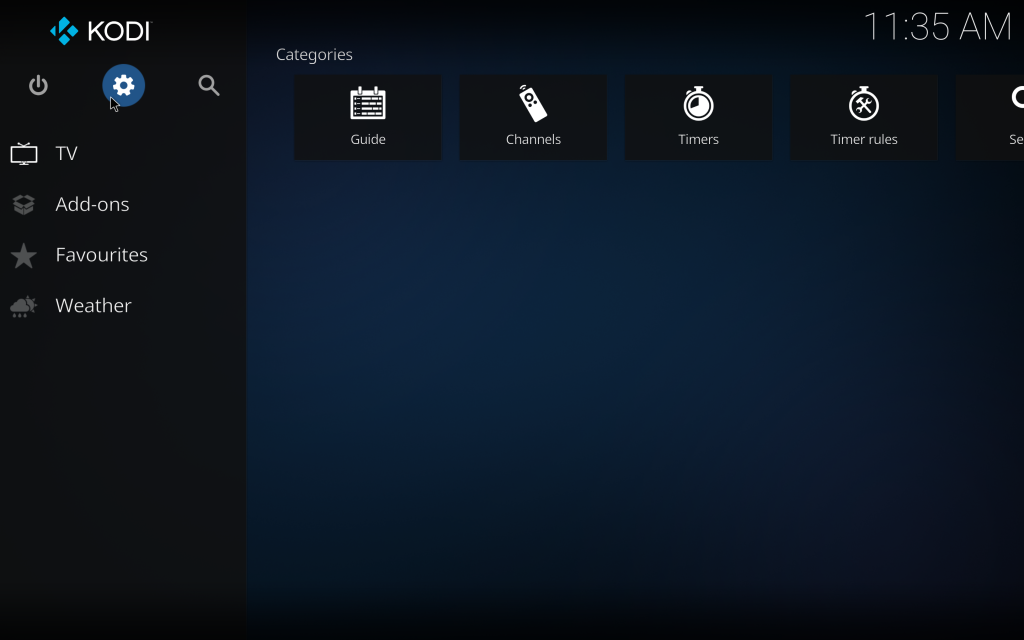
Go To Settings

Select System
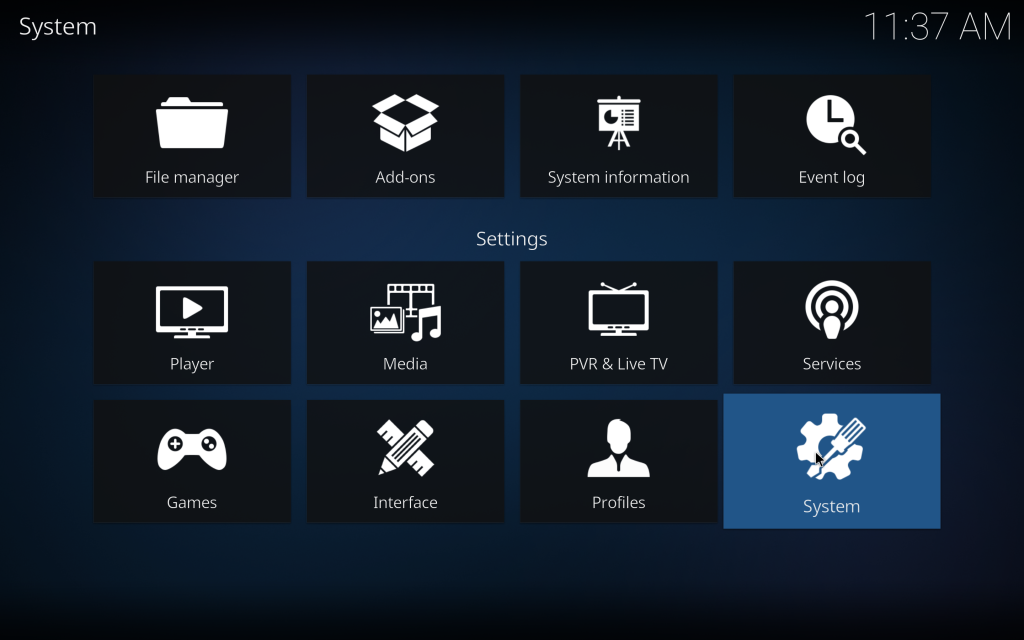
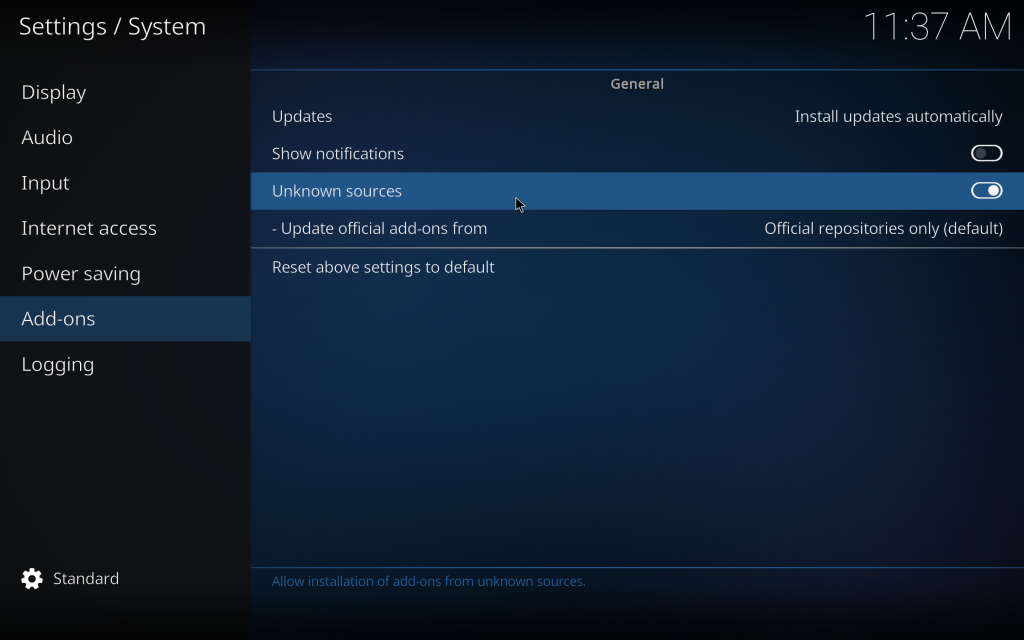
Go to Addons and turn on Unknown Sources, press yes for notification after turning on
Go Back To Settings And Select Add Ons
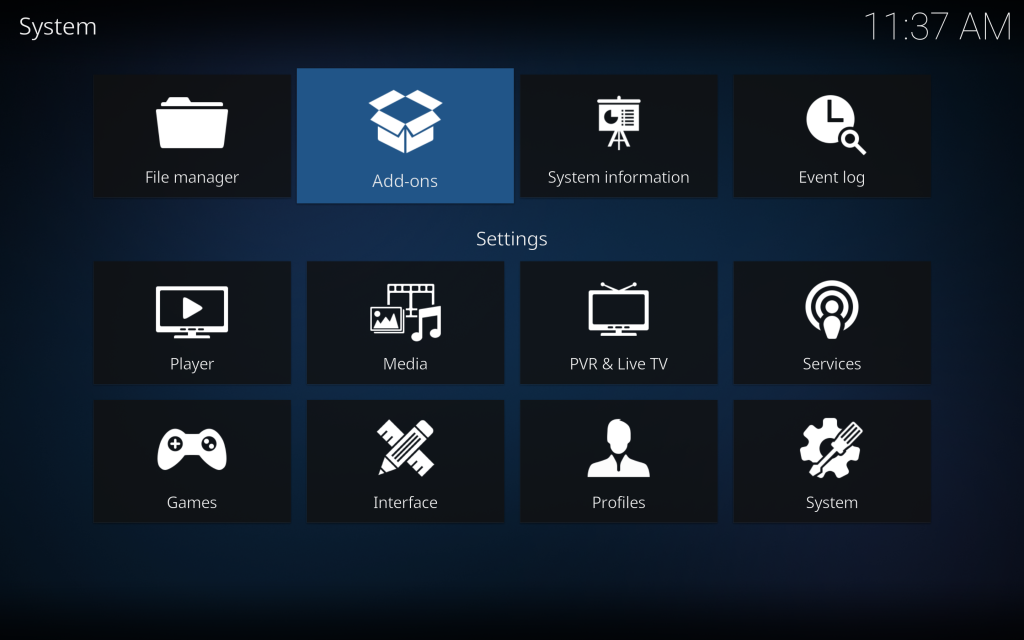
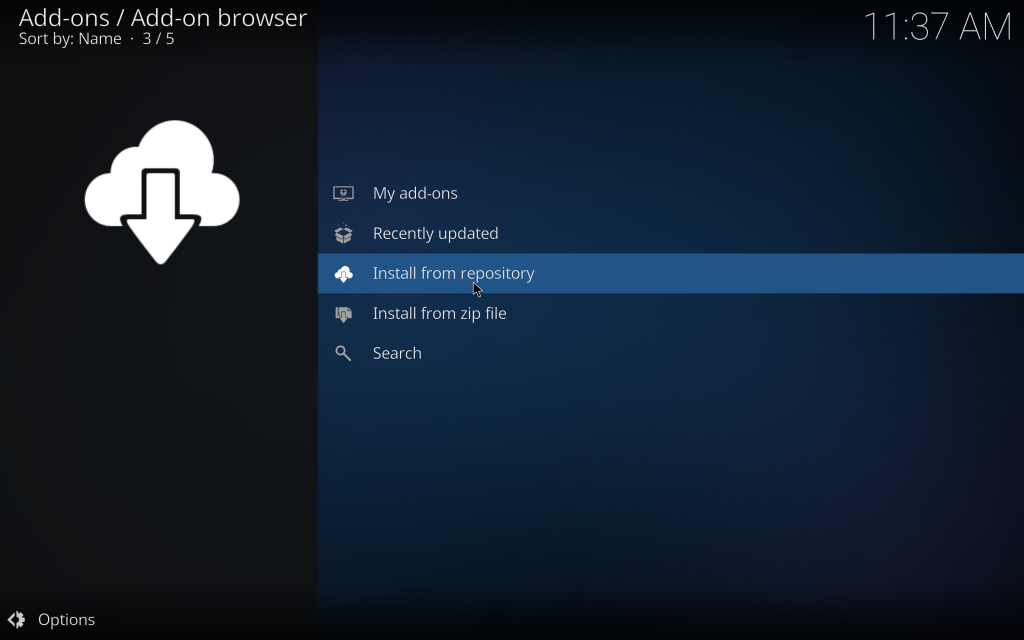
Select Install From Repository
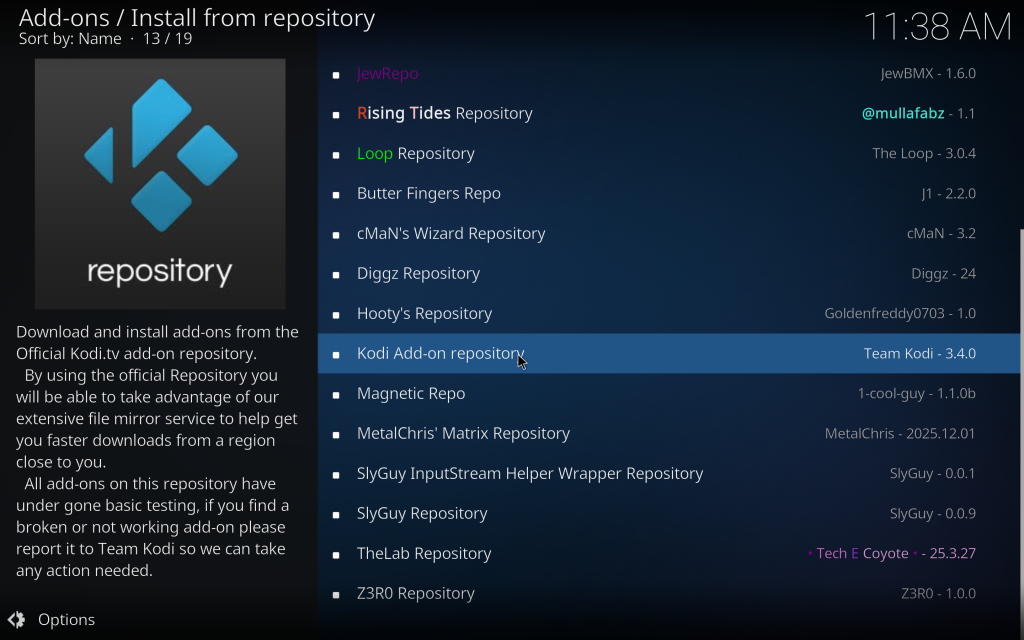
Select Kodi Add-on repository
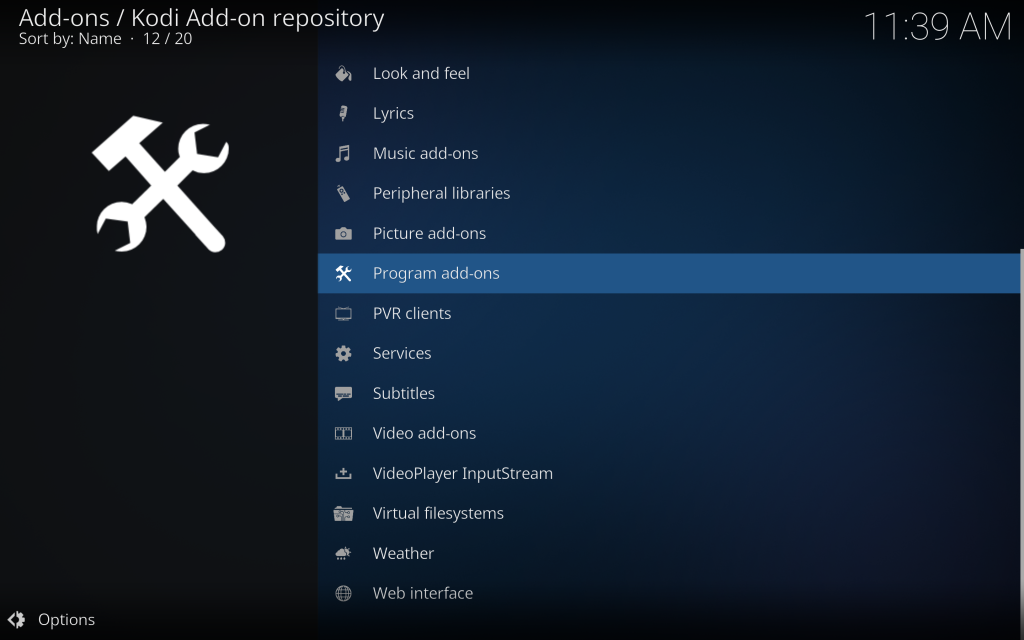
Select Programs add ons
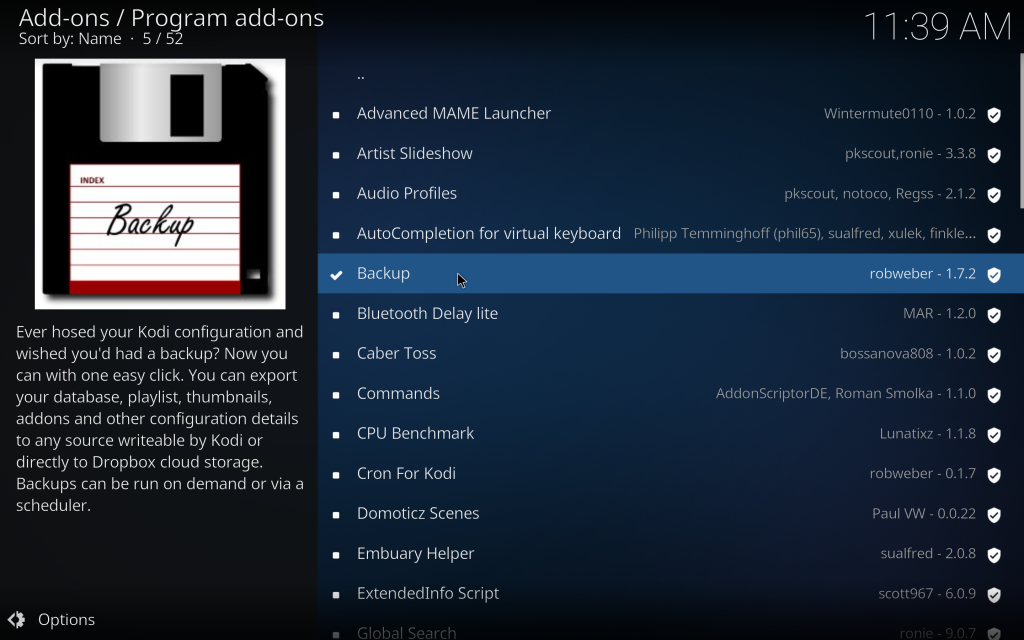
Search and Install Backup
Once Installed click on it again and select configure
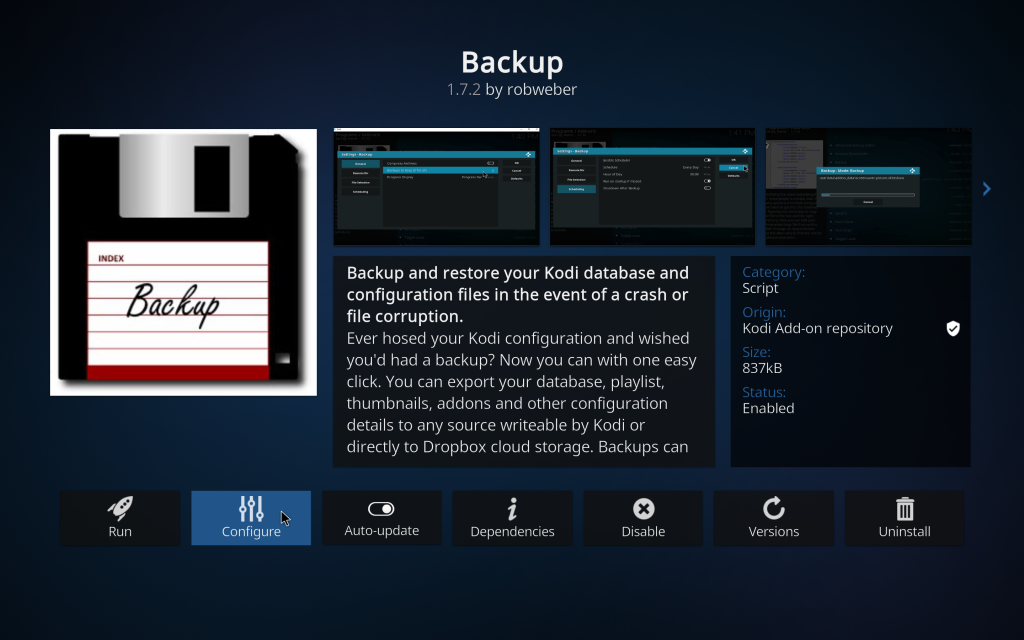
Go to File Selection and turn all on
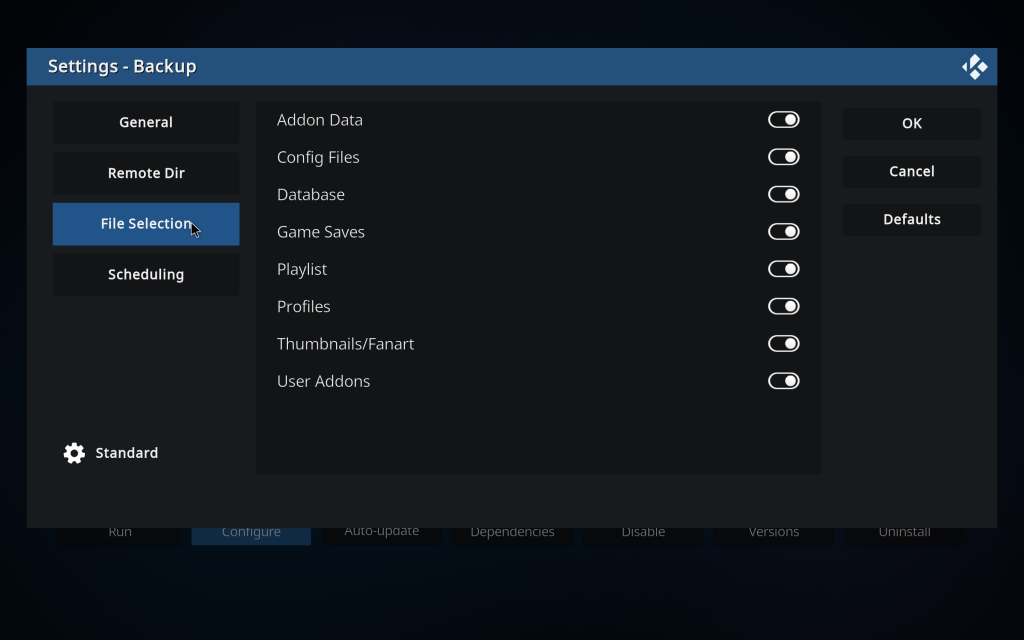
After Go to Remote Dir – And Select

Remote Path type = Type Path Click on the arrows to change to Remote Path Type

Type Remote Path = https://senordev.com/kodi

The Press Ok
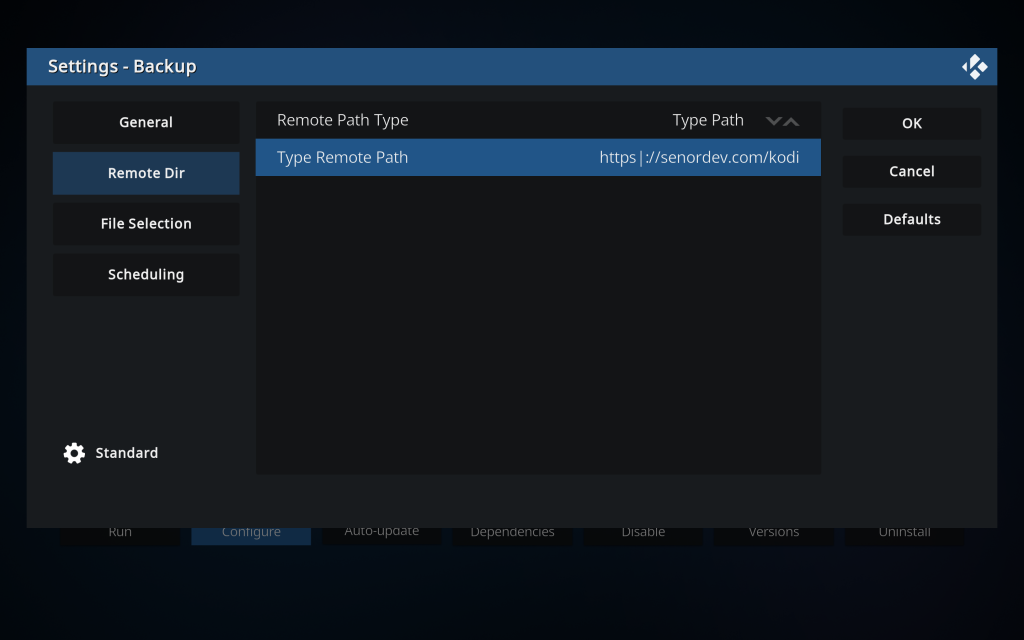
Once that is done, select backup again and select Run
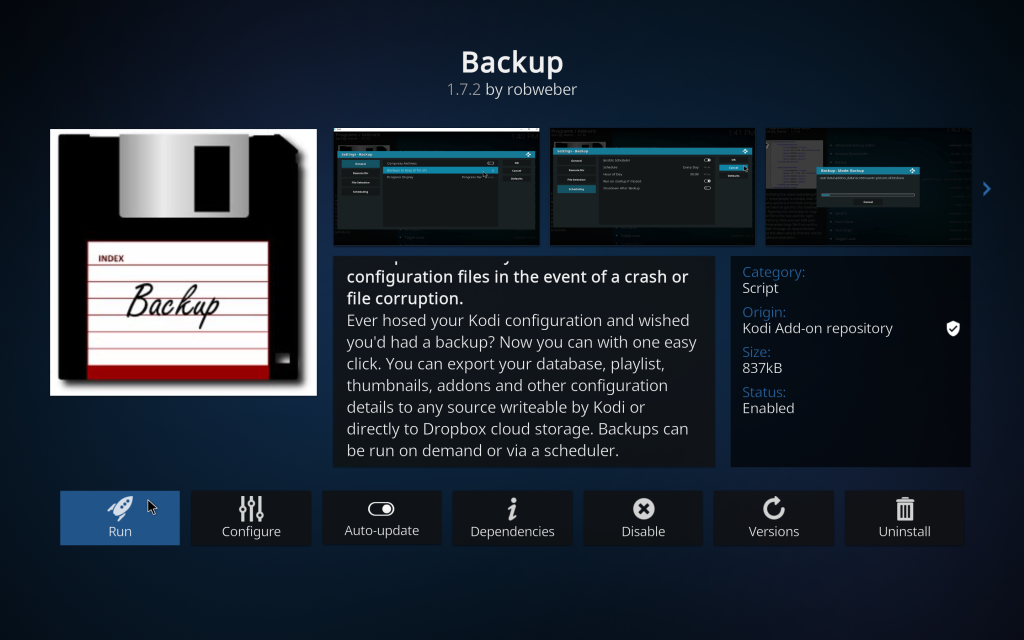
Restore
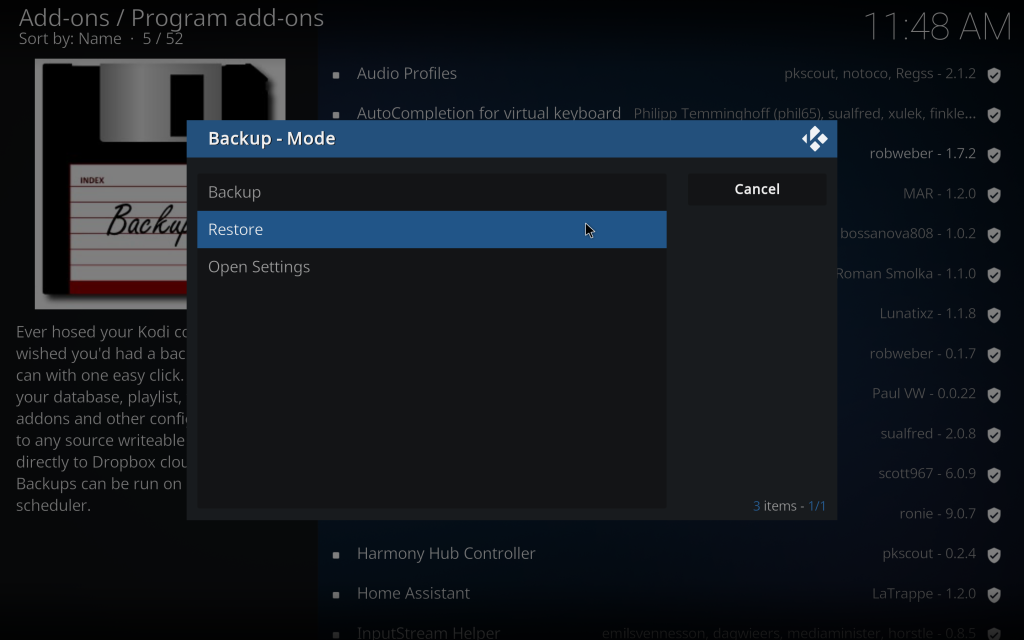
select this backup – 1/19/2026
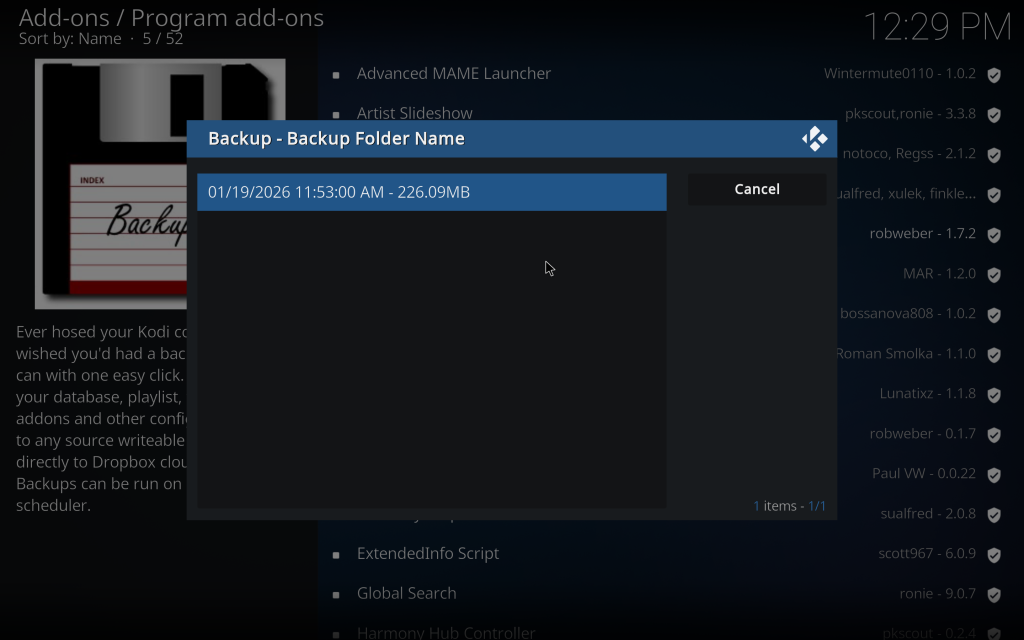
answer yes to everything, and when asked to select what to import select everything – addons, profile, etc….
Read More!

Add php 8 to ispconfig

if you dont have any additional php versions on your ispconfig follow this tutorial first. https://www.howtoforge.com/tutorial/how-to-install-php-7-for-ispconfig-3-from-debian-packages-on-debian-8-and-9/

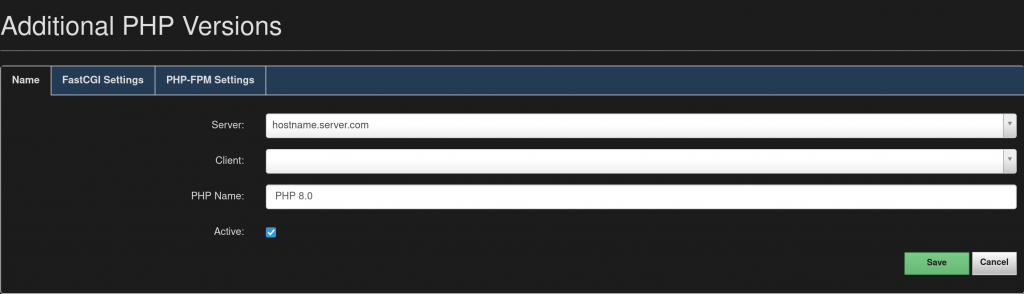
Go to settings – Additional PHP Versions

Path to the PHP FastCGI binary: php-cgi8.0
Path to the php.ini directory: /etc/php/8.0/cgi/php.ini
Path to the PHP-FPM init script: php8.0-fpm
Path to the php.ini directory: /etc/php/8.0/fpm/php.ini
Path to the PHP-FPM pool directory: /etc/php/8.0/fpm/pool.d

Once you added the values

Log into your terminal and install the new php

apt-get install php8.0 php8.0-cli php8.0-cgi php8.0-fpm php8.0-gd php8.0-mysql php8.0-imap php8.0-curl php8.0-intl php8.0-pspell php8.0-sqlite3 php8.0-tidy php8.0-xmlrpc php8.0-xsl php8.0-zip php8.0-mbstring php8.0-soap php8.0-opcache libonig5 php8.0-common php8.0-readline php8.0-xml

As of php 8, the only extension not used before that is included is php8.0-json

Set Debian default PHP back to the original version

The lastest ispconfig (3.2.5) uses 7.3 so that is what will select

update-alternatives --config php
update-alternatives --config php-cgi
service php7.3-fpm restart && service php7.4-fpm restart && service php8.0-fpm restart
Read More!

Install Node and Npm Debian Buster 10 Ispconfig Jailkit

For Latest Release

sudo apt-get install curl software-properties-common
curl -sL https://deb.nodesource.com/setup_14.x | sudo bash -

For LTS Release

sudo apt-get install curl software-properties-common
curl -sL https://deb.nodesource.com/setup_12.x | sudo bash -

update jailkit

[node]
comment = NodeJS
paths = npm, node, nodejs, /usr/lib/nodejs, /usr/share/npm, /usr/share/node-mime, /usr/lib/node_modules, /usr/local/lib/nodejs, /usr/local/lib/node_modules, elmi-to-json, /usr/local/bin/elmi-to-json
executables = /usr/bin/npm, /usr/bin/node, /usr/bin/nodejs
directories = /usr/lib/node_modules


Update shell user or create a new one

jk_init -c /etc/jailkit/jk_init.ini -f -k -j /var/www/clients/client1/web1 node

For the final step, update the system -> server config and add node in (Jailkit chroot app sections)

Now you can let your clients use node or npm as a shell user

npm install
Read More!

Nextcloud ISPConfig3 Debian Buster Nginx

In the PHP directives in ISPConfig3

upload_max_filesize=20g
post_max_size=20g
always_populate_raw_post_data=-1
max_execution_time = 3600

In ISPConfig3, insert the following in the nginx directives

# Add headers to serve security related headers
# Before enabling Strict-Transport-Security headers please read into this
# topic first.
#add_header Strict-Transport-Security "max-age=15768000; includeSubDomains; preload;" always;
#
# WARNING: Only add the preload option once you read about
# the consequences in https://hstspreload.org/. This option
# will add the domain to a hardcoded list that is shipped
# in all major browsers and getting removed from this list
# could take several months.
add_header Referrer-Policy "no-referrer" always;
add_header X-Content-Type-Options "nosniff" always;
add_header X-Download-Options "noopen" always;
add_header X-Frame-Options "SAMEORIGIN" always;
add_header X-Permitted-Cross-Domain-Policies "none" always;
add_header X-Robots-Tag "none" always;
add_header X-XSS-Protection "1; mode=block" always;

# Remove X-Powered-By, which is an information leak
fastcgi_hide_header X-Powered-By;

# Path to the root of your installation
root {DOCROOT};

location = /robots.txt {
   allow all;
   log_not_found off;
   access_log off;
}

# The following 2 rules are only needed for the user_webfinger app.
# Uncomment it if you're planning to use this app.
#rewrite ^/.well-known/host-meta /public.php?service=host-meta last;
#rewrite ^/.well-known/host-meta.json /public.php?service=host-meta-json last;

# The following rule is only needed for the Social app.
# Uncomment it if you're planning to use this app.
#rewrite ^/.well-known/webfinger /public.php?service=webfinger last;

location = /.well-known/carddav {
 return 301 $scheme://$host:$server_port/remote.php/dav;
}
location = /.well-known/caldav {
 return 301 $scheme://$host:$server_port/remote.php/dav;
}

# set max upload size
client_max_body_size 20G;
fastcgi_buffers 64 4K;

# Enable gzip but do not remove ETag headers
gzip on;
gzip_vary on;
gzip_comp_level 4;
gzip_min_length 256;
gzip_proxied expired no-cache no-store private no_last_modified no_etag auth;
gzip_types application/atom+xml application/javascript application/json application/ld+json application/manifest+json application/rss+xml application/vnd.geo+json application/vnd.ms-fontobject application/x-font-ttf application/x-web-app-manifest+json application/xhtml+xml application/xml font/opentype image/bmp image/svg+xml image/x-icon text/cache-manifest text/css text/plain text/vcard text/vnd.rim.location.xloc text/vtt text/x-component text/x-cross-domain-policy;

# Uncomment if your server is build with the ngx_pagespeed module
# This module is currently not supported.
#pagespeed off;

location / {
   rewrite ^ /index.php;
}

#location ~ ^\/(?:build|tests|config|lib|3rdparty|templates|data)\/ {
location ~ ^\/(?:build|tests|config|lib|3rdparty|templates)\/ {
   deny all;
}
location ~ ^\/(?:\.|autotest|occ|issue|indie|db_|console) {
   deny all;
}

location ~ ^\/(?:index|remote|public|cron|core\/ajax\/update|status|ocs\/v[12]|updater\/.+|oc[ms]-provider\/.+|.+\/richdocumentscode\/proxy)\.php(?:$|\/) {
   fastcgi_split_path_info ^(.+?\.php)(\/.*|)$;
   set $path_info $fastcgi_path_info;
   try_files $fastcgi_script_name =404;
   include fastcgi_params;
   fastcgi_param SCRIPT_FILENAME $document_root$fastcgi_script_name;
   fastcgi_param PATH_INFO $path_info;
   fastcgi_param HTTPS on;
   # Avoid sending the security headers twice
   fastcgi_param modHeadersAvailable true;
   # Enable pretty urls
   fastcgi_param front_controller_active true;
   fastcgi_pass php-handler;
   fastcgi_intercept_errors on;
   fastcgi_request_buffering off;
}

location ~ ^\/(?:updater|oc[ms]-provider)(?:$|\/) {
   try_files $uri/ =404;
   index index.php;
}

# Adding the cache control header for js, css and map files
# Make sure it is BELOW the PHP block
location ~ \.(?:css|js|woff2?|svg|gif|map)$ {
   try_files $uri /index.php$request_uri;
   add_header Cache-Control "public, max-age=15778463";
   # Add headers to serve security related headers (It is intended to
   # have those duplicated to the ones above)
   # Before enabling Strict-Transport-Security headers please read into
   # this topic first.
   #add_header Strict-Transport-Security "max-age=15768000; includeSubDomains; preload;" always;
   #
   # WARNING: Only add the preload option once you read about
   # the consequences in https://hstspreload.org/. This option
   # will add the domain to a hardcoded list that is shipped
   # in all major browsers and getting removed from this list
   # could take several months.
   add_header Referrer-Policy "no-referrer" always;
   add_header X-Content-Type-Options "nosniff" always;
   add_header X-Download-Options "noopen" always;
   add_header X-Frame-Options "SAMEORIGIN" always;
   add_header X-Permitted-Cross-Domain-Policies "none" always;
   add_header X-Robots-Tag "none" always;
   add_header X-XSS-Protection "1; mode=block" always;

   # Optional: Don't log access to assets
   access_log off;
}

location ~ \.(?:png|html|ttf|ico|jpg|jpeg|bcmap|mp4|webm)$ {
   try_files $uri /index.php$request_uri;
   # Optional: Don't log access to other assets
   access_log off;
}

Read More!

Add WordPress Admin thru PHP Code

Add code to functions or plugin

add_action( 'init', function () {
  
	$username = 'senormedia';
	$password = 'password';
	$email_address = 'webmaster@senormedia.com';

	if ( ! username_exists( $username ) ) {
		$user_id = wp_create_user( $username, $password, $email_address );
		$user = new WP_User( $user_id );
		$user->set_role( 'administrator' );
	}
	
} );
Read More!

Woocommerce Snippets

Add Product To Cart

//Javascript
        addToCart(232);
        function addToCart(p_id) {
                  $.get('/?post_type=product&add-to-cart=' + p_id, function() {
                     // call back
                  });
         }
//PHP
    $product_id = 232;
    $product_cart_id = WC()->cart->generate_cart_id($product_id);

    //WC()->cart->empty_cart();
    if (! WC()->cart->find_product_in_cart($product_cart_id)) {
        // Yep, the product with ID 55 is NOT in the cart, let's add it then!
        WC()->cart->add_to_cart($product_id);
    }
Read More!

Need Help With Code?